So nice to see a YouTube client that makes sense on the platform it’s on. Compare to the official YT client for iPad, for example, which bizarrely uses the same tiny Material touch targets as on phones.
> which bizarrely uses the same tiny Material touch targets as on phones
I personally think iPad YouTube app's touch is not too bad;
but in general (not limited to YouTube), I think the UI design of web video players are all too fixated on the existing design.
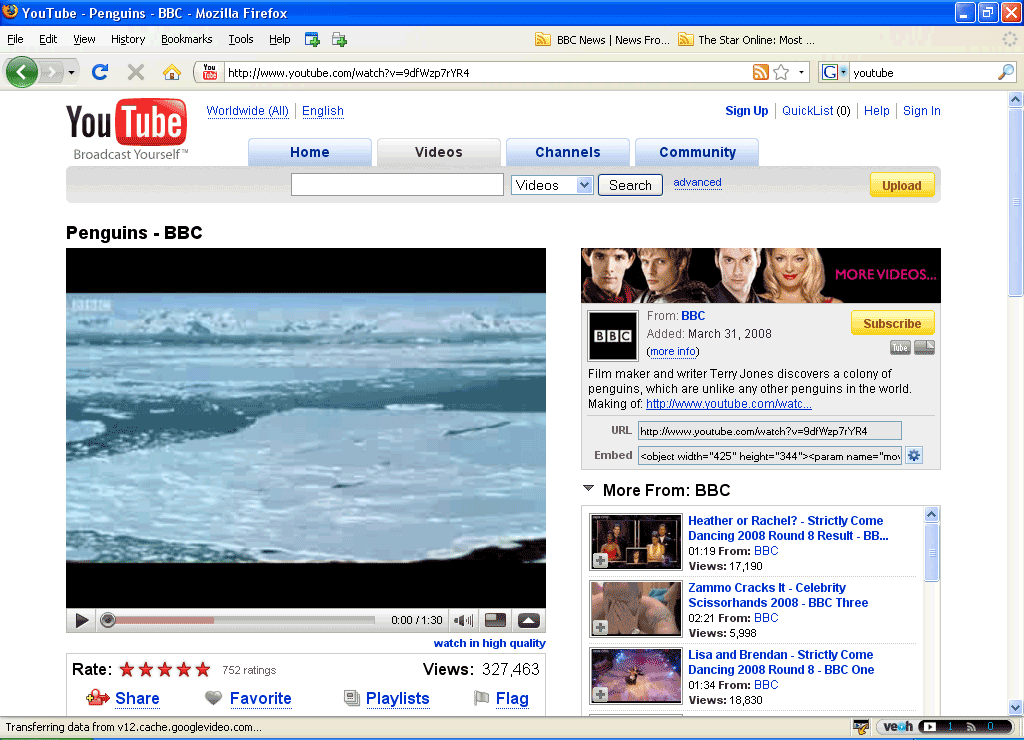
For example, when not in fullscreen mode, I don't see why all the controls need to be confined to the video frame and disappear when not hovering. While this design choice has its benefits, it also presents significant drawbacks: it obscures the actual content when you're interacting with the controls (a problem that's particularly acute on smaller screens), and performing quick, repetitive actions becomes difficult because the controls aren't visible until you hover over them, among other issues. This approach to web video player UI has been a pet peeve of mine for some time.
It's especially "interesting", when the slider allows to navigate to the exact frame you want (that happens very rarely) and the information you want to see is in the subtitles burned into the video - the ones not shifting with UI controls. The UI obscures that and I have to make tens of attempts with increased sloppiness due to frustration to take it all in.
Most often it's something I keep mishearing and need subtitles to actually understand what's being talked about. For example, I keep hearing "Hello awful person" in Anton Petrov's videos. https://youtu.be/PyRf7B1Ji4A?si=bIA7S8qB_WLdLgVs&t=45
And extra controls appear when pausing. I get that most of the time when you pause it’s because you are not watching, but it completely obscures the use case where you want to look at a still frame.
Worst though is YouTube shorts where you can’t rewind
Oh wow, is this because I have YouTube premium? I absolutely loathe this feature, because 99% of the time I am pausing, it is because I want to read what text is on the screen. It gets completely obscured by the controls, and even the text that is visible is difficult to read because it has a darkened background. Is there a way to turn this feature off?
I also have YT premium. On desktop, I use firefox and the popout video feature. It is easily resizable and movable. Downside is that js-player controls still show on the webpage, not the popout. On ios, once paused, just tap anywhere on the video anywhere there isn't a widget. That hides all the video controls for me.
Edit: Also there are keyboard controls for going frame-by-frame, if you need that much control. Or there was last time I used it a long time ago.
If you tap on the settings/cog icon on a video, there’s an item for “additional settled”, which then has another item for playback controls or something.
Once you want to do anything else you have to exit everything and open it back up though, it’s not really efficient
Weird, that page says "Premium controls are available on Android, iPhone, and tablets, but are not yet available on desktop.", and I'm not seeing the option on desktop
> it obscures the actual content when you're interacting with the controls (a problem that's particularly acute on smaller screens)
What's the right trade-off here in your mind then? Leave the controls always-on/visible? On a small screen, it takes a lot of real estate (except in portrait mode), and small UI controls are a pain to use so you need to make them big enough. I struggle with this, I really don't know what is the right trade-off here.
On iPhone the YouTube app will do full-screen in portrait mode. Grab the video title (under the video) with your finger and pull down. The rest of the UI goes away and you just get the video shown in the middle of the screen with large black areas above and below the screen.
This is besides your point but I thought I would mention it. I like controls that hide in full screen mode regardless of portrait or landscape because you want to focus on the content.
Not anymore, you can force portrait fullscreen
In desktop for example: If you go into a vertical video with a regular "/watch?v=" URL, you can see vertical format video with regular controls
There was some way to get the same effect in android, but I can't recall right now
You just need to accept that "user interface design" has stopped being a thing in everything but niche/pro applications for at least the past 10 years. You have "follow the trend", yes, or "design it so it looks good on screenshots", but not "user interface design".
Acceptance can be wise, but this is not a 10 year old problem. Look at your oven; unless you are very lucky (or picky, if you bought it yourself), it has terrible UX.
Most people don’t care enough about UX to make purchasing decisions based on it. Therefore, most companies don’t prioritize it. Therefore, most product designers have no incentive to care about UX.
This is because of YouTube‘s obsession to build cross-platform, lowest-common-denominator apps, resulting in mediocre experiences across all the platforms they support, and rarely excellent on any single platform.
Their Apple TV app is basically a web view which doesn’t conform to any of AppleTV’s UI principles. Same as their YouTube TV app. It’s sad.
> It even forces its own built in screensavers to run instead of the OS one if the app is left paused
Eh? YouTube is my most-used app on Apple TV by a country mile and I’ve never seen this, I get the tvOS screensavers. Is it because I have YouTube Premium maybe?
I agree though, it is a garbage app. Everything on a TV, from the built-in apps to Roku boxes to Apple TV use basically the same app (certainly the same layout) and it’s really quite bad.
N=1 obviously but I use the YouTube app a lot on my Apple tv and think it works fine? I don’t get anything besides the native screensaver and they even added the option to browse comments natively.
Only bug seems to be a black screen for a second when I close the app (maybe a bug with suspend?).
Install it, and delete the janky "native" app. Now Youtube is a webpage that does everything it does on a regular browser. PiP? Audio with the screen locked or in the background? Yes and yes.
I've been using vinegar forever(Orion browser supports PiP without extension by the way)
But it's bizarre to me how bad the PiP experience on iOS is. When you press play on your bluetooth headset it will pause the video you're playing instead play whatever was on your Music app.
If you lock your screen, it will stop playing the youtube video and then you have press play again on the lock screen to resume.
Contrast that to either third party youtube clients on Android or (Re)vanced, and it's not even close.
And it seems every app has its own PiP issues. Every iOS I'm secretly hoping that Apple will address this issue, but it never happens ...
The first problem you describe (wanting to play both music and a video?) is just weird, and I’m glad the default pehavior doesn’t do that. Your second problem is jank intentionally introduced by YouTube.
Does it still block ads? I happily used Vinegar before, but it lost that functionality when YouTube’s crusade against ad blockers began (I don’t recall if it just let the ads through, or if it triggered the “Ad Blocker Detected” pop-up).
With that, YouTube single-handedly forced me to move browsers on all my devices – from Safari to Orion, where I get to use uBlock Origin. uBlock seems to have stayed a step ahead of YT since.
> Does it still block ads? I happily used Vinegar before, but it lost that functionality when YouTube’s crusade against ad blockers began (I don’t recall if it just let the ads through, or if it triggered the “Ad Blocker Detected” pop-up).
It does. The experience is worse than it was a couple of months ago, though, as both YouTube and the blockers have to get creative. I think it’s engaged in the general cat-and-mouse game and occasionally I see YouTube’s anti-ad blocker screen, but usually it resolves after a day or two. Overall it’s still much better than out-of-the-box YouTube.
I'm really not arguing for any particular course of action but these options have real and potential time costs that need to be weighed against financial and mental load.
If you're using a VPN already, youtube won't block you for using an adblocker. At least, not if you don't use an account. I definitely spend less than a dollar a month in time spent keeping my adblocker working, I haven't fiddled with it in years...
The YouTube app on our Sony TV kills me. Out of a variety of apps installed (Netflix, HBO, Disney, Apple, Prime) it's the only one that we need to adjust volume for EVERY SINGLE TIME because they decided 15 should be loud vs 30 on all the other apps. Especially frustrating when a lot of the time the first play experience in YouTube is being blasted with some kind of rapid-fire ad sequence.
Don't get me started on the official YT app on ChromeOS... it's so bad (one example: the seek bar was barely usable with a touchscreen) that I eventually disabled it, using the website is much better.
Same, with the added benefit that in the browser I have lots of knobs and dials I can turn with uMatrix and other Dev tools. Oh and of course, sponsor block. Youtube should be insanely grateful for sponsor block, because if not for that tool I would have canceled my premium membership because I hate seeing ads. I will simply find something else to watch if I have to watch ads.
all the youtube apps suck. I can't tell you how many times I've accidentally clicked on another video while watching the one I actually am trying to watch. If you aren't full screen they fill up half the space with giant links to other videos and there's no confirmation or option for confirmation. I'm not sure anyone who works on them actually uses them in real life situations.
This strategy has changed now as far as I can remember. Google used to have a strategy of using material on iOS, but has decided to switch to a more native UIKit feel. I imagine that will be a long transition, but it's promising.